Skip to content

Reports

You stop waiting on somebody to pull the numbers.

They're already written. The gate, the dock and the yard record the work as they do it, so a report is current to the shift that just ended, not to whenever somebody last had time to update the sheet.

An operator reading the Movo overnight report at a desk first thing in the morning

First thing

The overnight report is already waiting.

The list

Four questions, asked over and over.

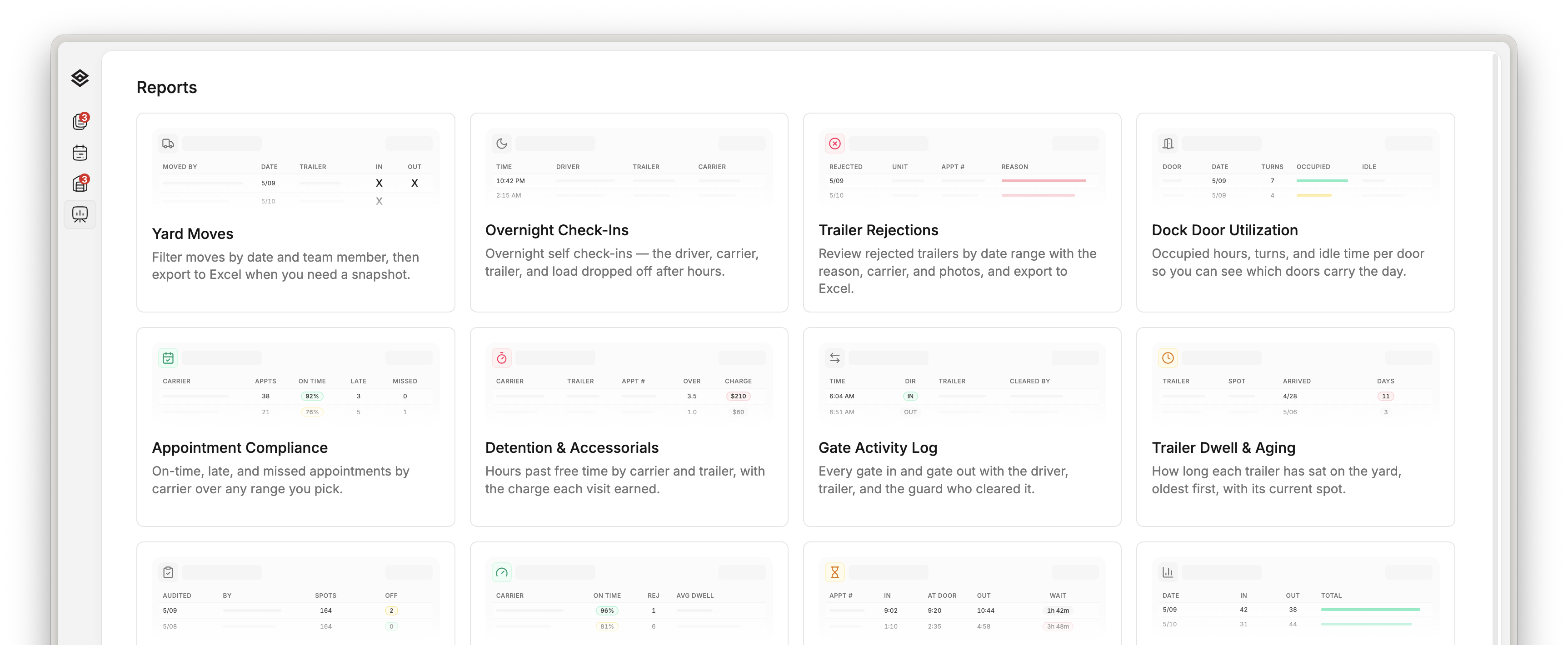
What moved and when. What it cost you. Which carrier caused it. What went wrong, and who was standing there. Every report on the menu answers one of those, over any range you pick.

The Movo reports menu: yard moves, overnight check-ins, trailer rejections, dock door utilization, appointment compliance, detention, gate activity and more, each with a date range and an Excel export

The reports

Yard movement, overnight arrivals and trailer rejections, each ready to filter and export.

Accessorials

Bill the detention you're eating.

Hours past free time, by carrier and by trailer, with the charge each visit earned. The clock started at the gate when the driver arrived, not when somebody got to the paperwork, so the number holds up when the carrier disputes it.

A truck driver sitting in a parked cab filling out paperwork while waiting

Still waiting

Every hour that truck sits is either billed or absorbed.

The customer's review

The monthly review stops being a day of work.

On-time, late and missed by carrier, over whatever range the customer asks about. The same numbers they hold you to, pulled in the meeting instead of assembled the week before it.

An operations coordinator at a Moran Logistics desk reading Movo on a widescreen monitor

Before the call

The numbers are ready before the customer asks for them.

Disputes

When the carrier argues, the row already has the proof.

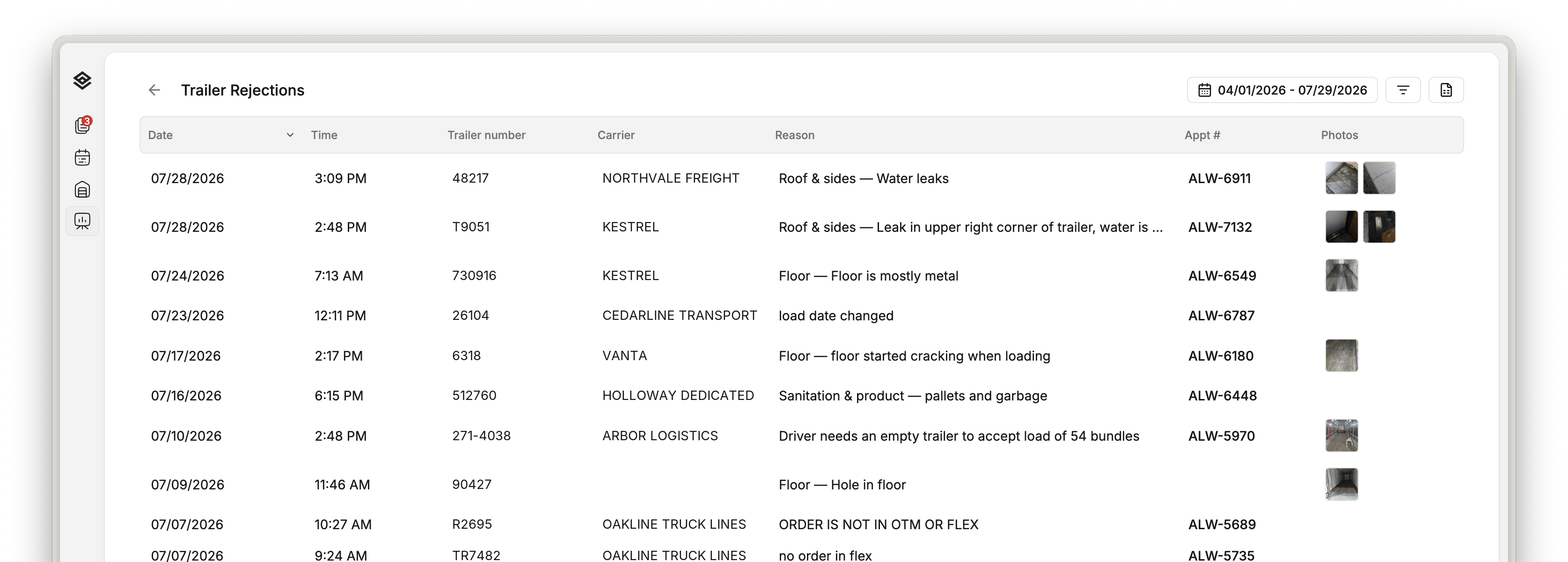
An operator refuses a trailer and photographs it while it is still at the door. The reason they typed, the appointment it broke and the photos travel together, so a claim gets answered in a minute instead of rebuilt a week later.

The Movo trailer rejections report: date, time, trailer number, carrier, reason, appointment number and photo thumbnails, newest first

Any range you pick

The reason, the appointment, and the photos taken at the door.

  • The reason, in words

    The category, and the note the operator actually typed.

  • The appointment it broke

    The slot and the orders on it, so the reopen is traceable.

  • Who refused it, and when

    A name and a timestamp on every row, down to the minute.

Any range, any building

Four clicks, and it's in Excel.

No ticket, no analyst, no export request. Each report is scoped to one campus, so a site manager pulls their own building and a director pulls each of theirs.

  1. Pick the building

    Each report is scoped to one campus.

  2. Pick the dates

    Any range, not a fixed calendar month.

  3. Read it

    Sorted, filtered, photos inline.

  4. Export to Excel

    The same rows, with photo links.

What to bring

Bring the reports you get asked for.

The ones your customers ask for every month, and the ones management asks for when something goes wrong. We'll show you which of these answers each, and what the gate and the dock have to be doing for the numbers to be there at all.

Overhead view of a row of trailers backed into a warehouse's dock doors

At the doors

Where every number on this page starts.