Skip to content

Dock and yard

Your yard stops being a guess.

Every trailer, door and spot on one live map, laid out the way you walk the building. A trailer hits the gate and the whole yard knows where it went and how long it has been sitting.

Aerial view of a warehouse yard with trailers staged along its loading docks

The whole yard

Every door and staged trailer in one shared picture.

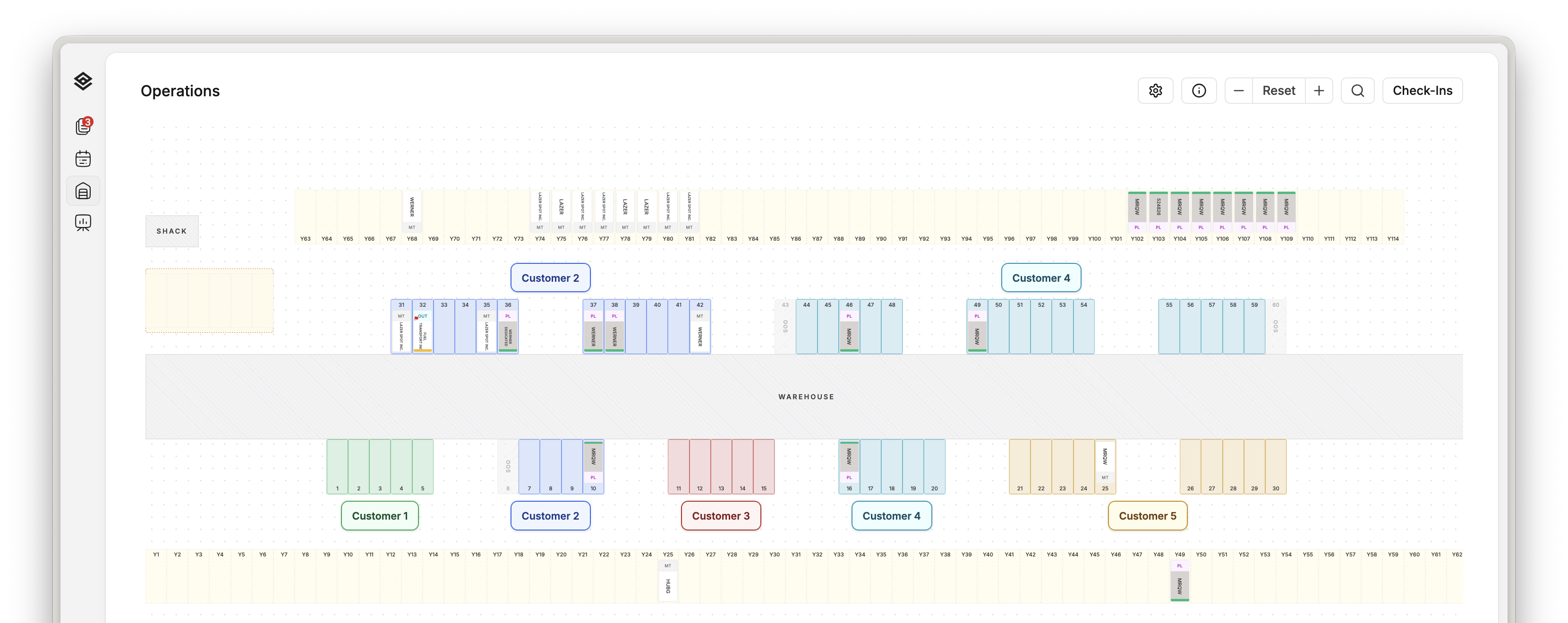
A Movo yard map with warehouse doors, trailer positions, and customer zones

Yard layout

Doors, yard positions, trailers, and customer zones in one shared view.

Detention

You can see which loads are about to cost you.

Every live trailer counts down against the same scheduled-time and free-window rules, drawn as a coloured ring on its cell. A yard manager works the red ones first instead of finding out on an invoice three weeks later.

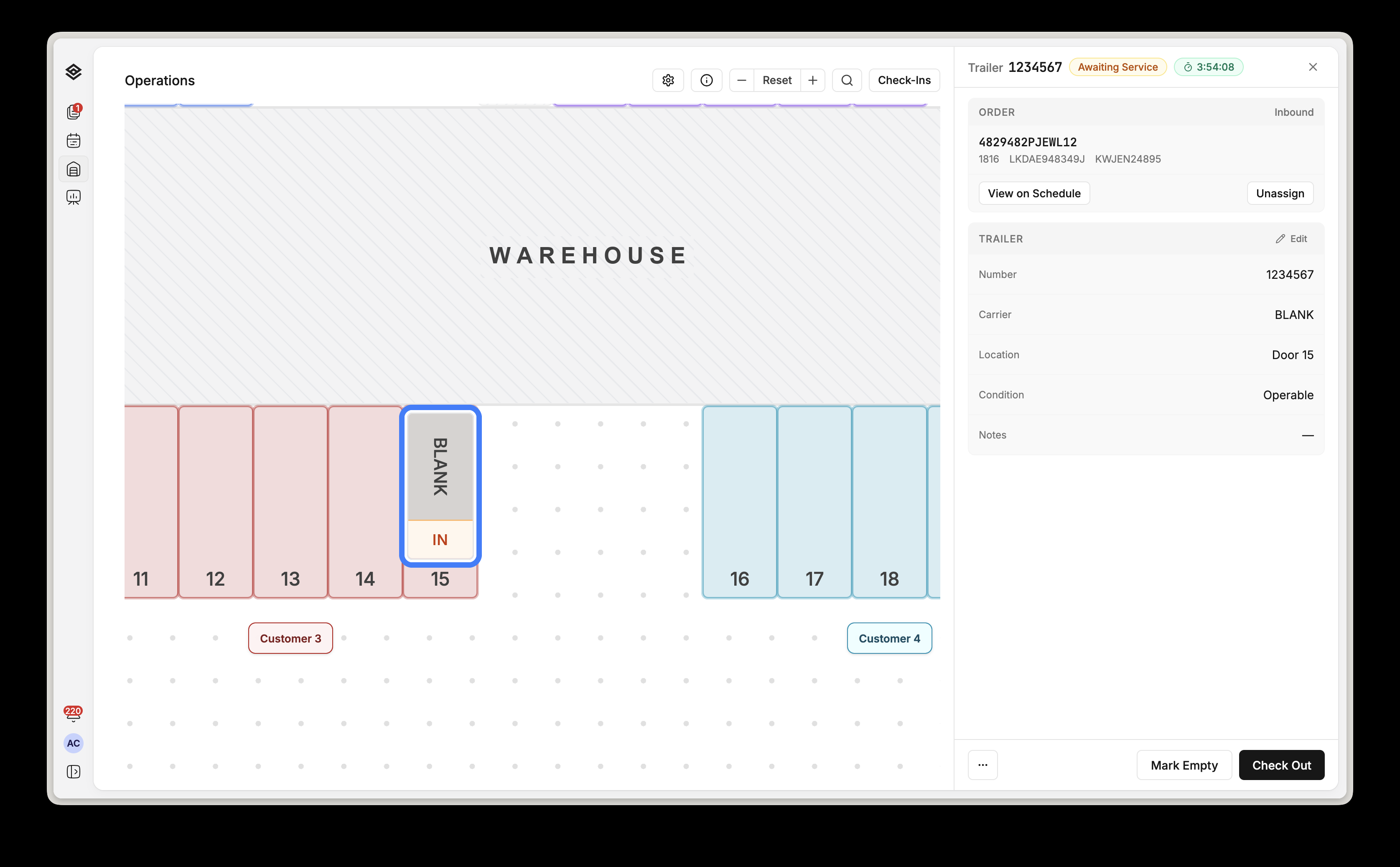
A trailer panel open on the Movo yard map, awaiting service with its detention clock running and check-out available

Three hours, fifty-four minutes left

The order, the door, the clock, and how it leaves: empty or checked out.

One vocabulary

The cell tells you what the trailer needs.

Direction, intent, physical load and any open door work collapse into one badge with an explicit precedence: active work beats finished work beats a booking beats empty. Nobody interprets a row of fields.

The Movo yard map legend: load status, nose badges, service state, exceptions and the detention scale

On screen, for day one

A new gate hire reads the map without training.

Finding one trailer

A customer calls with one detail. That is enough.

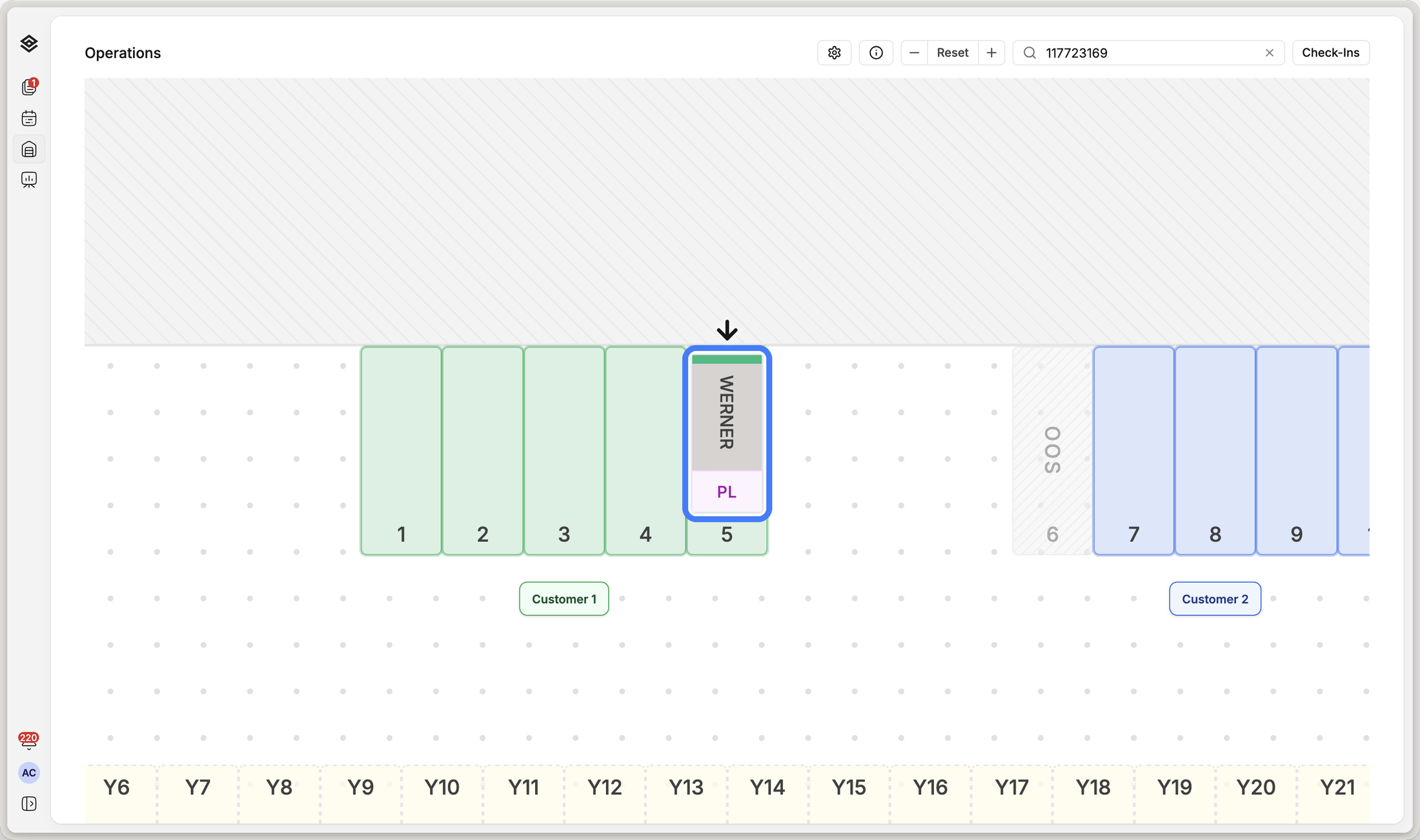
Search runs across trailer number, WMS order, reference numbers, carrier, customer, location and notes. A single match zooms the map straight to the cell.

A trailer number typed into Movo search, with the map zoomed to the matching trailer at a door

One number in

The map jumps to it and points.

  1. Drag it to another door

    Refused if the destination is occupied or out of service.

  2. Match it to its paperwork

    The orders, intent, scheduled time and detention deadline come with it.

  3. Reject it with evidence

    Five reasons, photos on the device, and the appointment reopens.

  4. Send someone straight to it

    The view and the open trailer live in the URL.

From the gate to the map

The gate sees its queue beside the live yard.

Every waiting driver carries their order, trailer, direction and arrival time. Completed check-ins stay visible in the same panel instead of disappearing into a separate system.

The Movo check-in queue open beside the yard map, showing waiting drivers with their order and trailer numbers

Live check-in queue

Inbound or outbound, and which ones are already done.

In the spotter

The next move travels with the person making it.

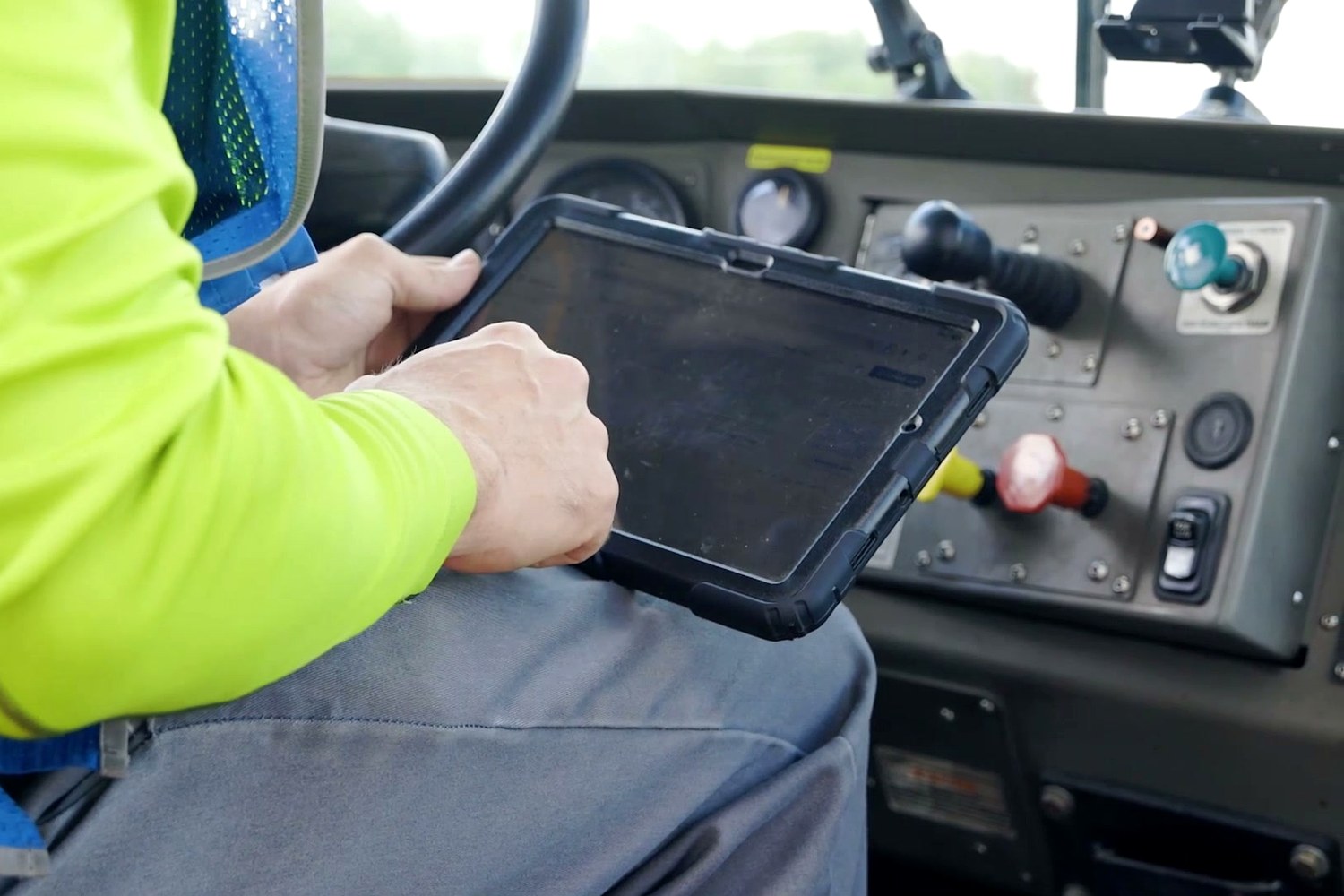
A yard jockey works from the same live picture as the office, on a rugged tablet in the cab instead of a radio call or a paper move list.

A yard jockey using a rugged tablet in the cab of a spotter truck

In the cab

The yard and the office read the same work.

Everyone sees the same yard

The gate, the dock and the office stop working off stale state.

Every committed action broadcasts to everyone viewing that campus. A check-in at the kiosk lands on the office map in about a quarter of a second, and two people stop colliding on the same trailer.

An operator recording a decision on a rugged warehouse scanner at a dock door

At the door

One tap here moves the office board.