Skip to content

Conductor AI

Your inbox arrives already drafted.

A carrier emails to move a pickup. Movo's AI reads the thread, finds the order in your WMS, and drafts the appointment and the reply. Carriers keep emailing, and there is nothing for them to adopt.

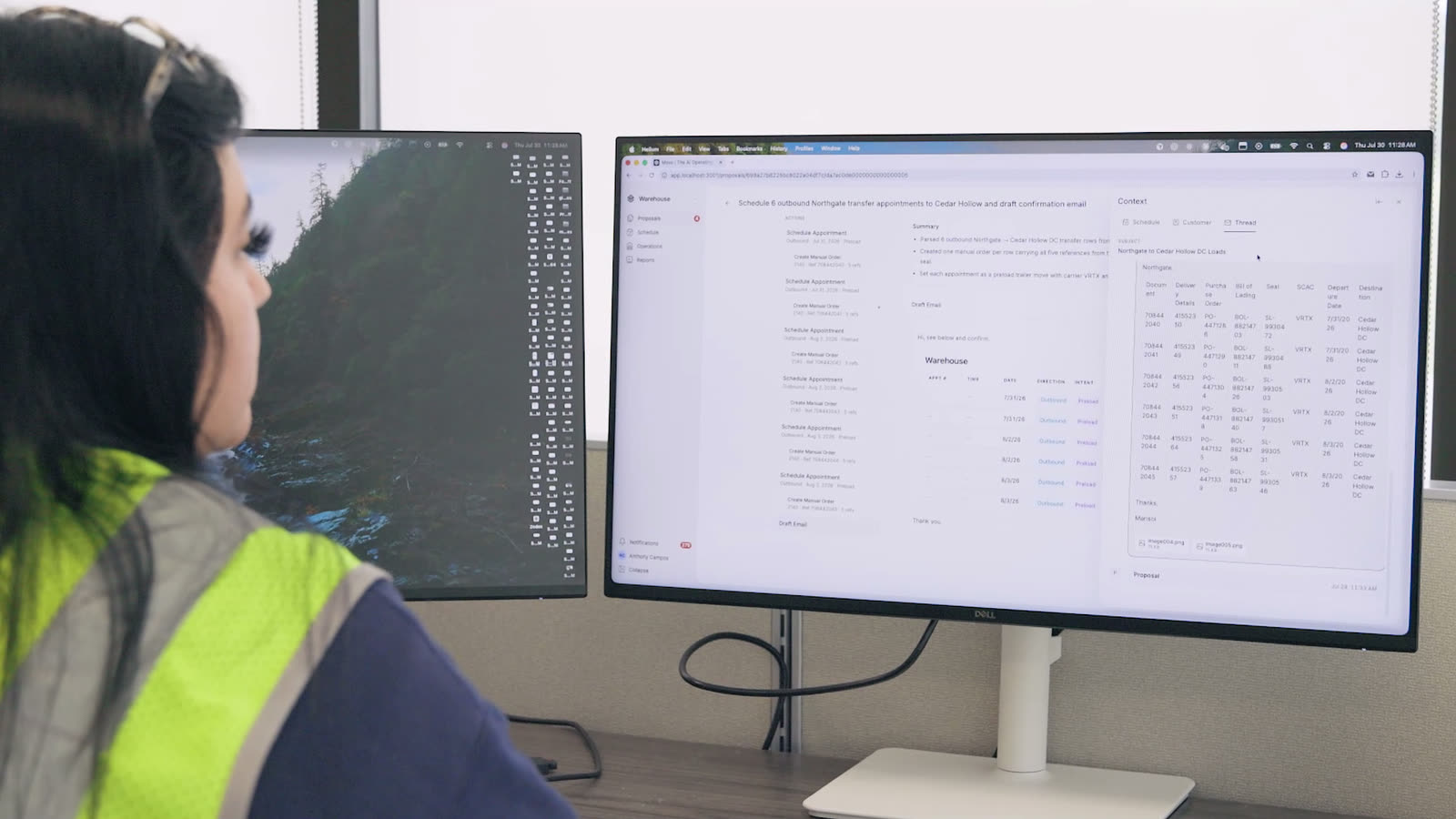
A customer service representative at a desk with the carrier’s email on one monitor and the Movo appointment board on the other

At the desk

The carrier’s email on one screen, the board on the other.

How work arrives

The same request, start to finish.

The thread arrives, Conductor drafts the actions it implies, and a CSR approves. Nothing reaches your WMS or your board until that click.

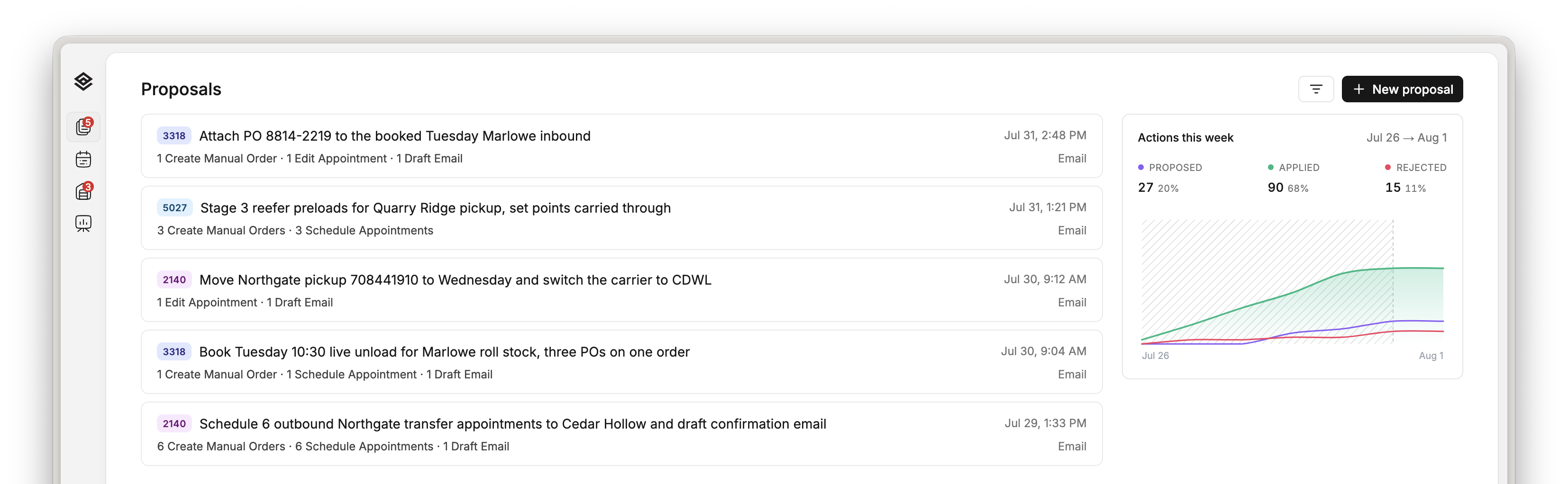
The Movo proposals queue: one row per drafted proposal with its customer number, title, the actions it contains and the email it came from

The queue

One row per email: the customer, the actions it would take, and when it came in.

What it read

The request it read stays on the proposal.

Each row’s PO, BOL, date and set point land on the action that needs them. Whoever reviews the draft is reading the email itself, never a paraphrase of it.

A Movo proposal open beside its context panel’s Thread tab, showing the scheduler’s pickup-list email with its table of loads, POs, BOLs, pickup dates and temperature set points

The thread

The pickup list as it was sent, beside the draft it produced.

Inside one proposal

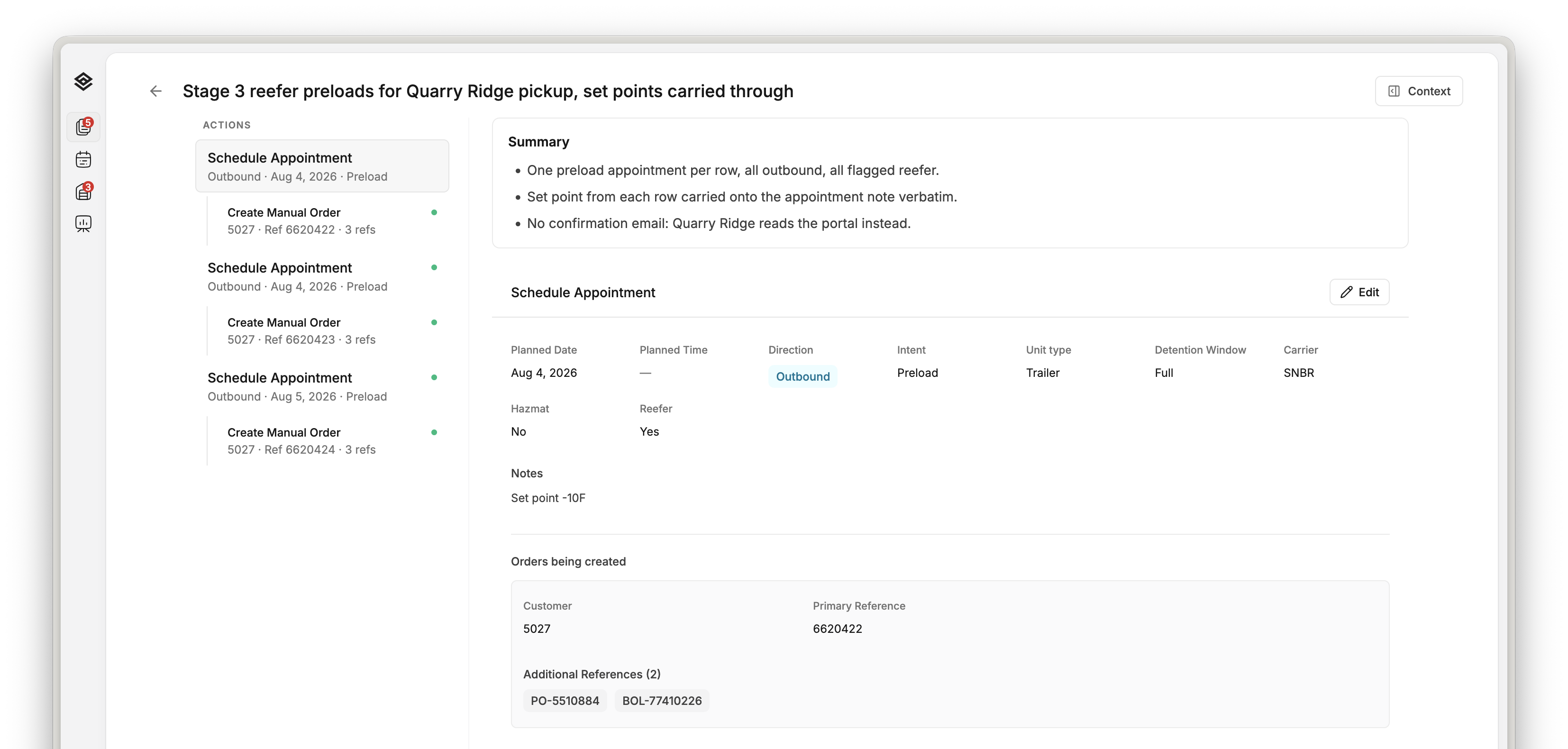
One pickup list became three appointments and three orders.

Every action typed field by field, each order nested under the appointment it rides on. A CSR reads the same fields they would have typed, and argues with the ones on screen.

A Movo proposal open for review: three Schedule Appointment actions each with a nested Create Manual Order, beside the selected appointment’s date, direction, intent, unit type, detention window, carrier, reefer flag and note

One proposal, opened

Three appointments, an order under each, and the note carried through verbatim.

How this customer books

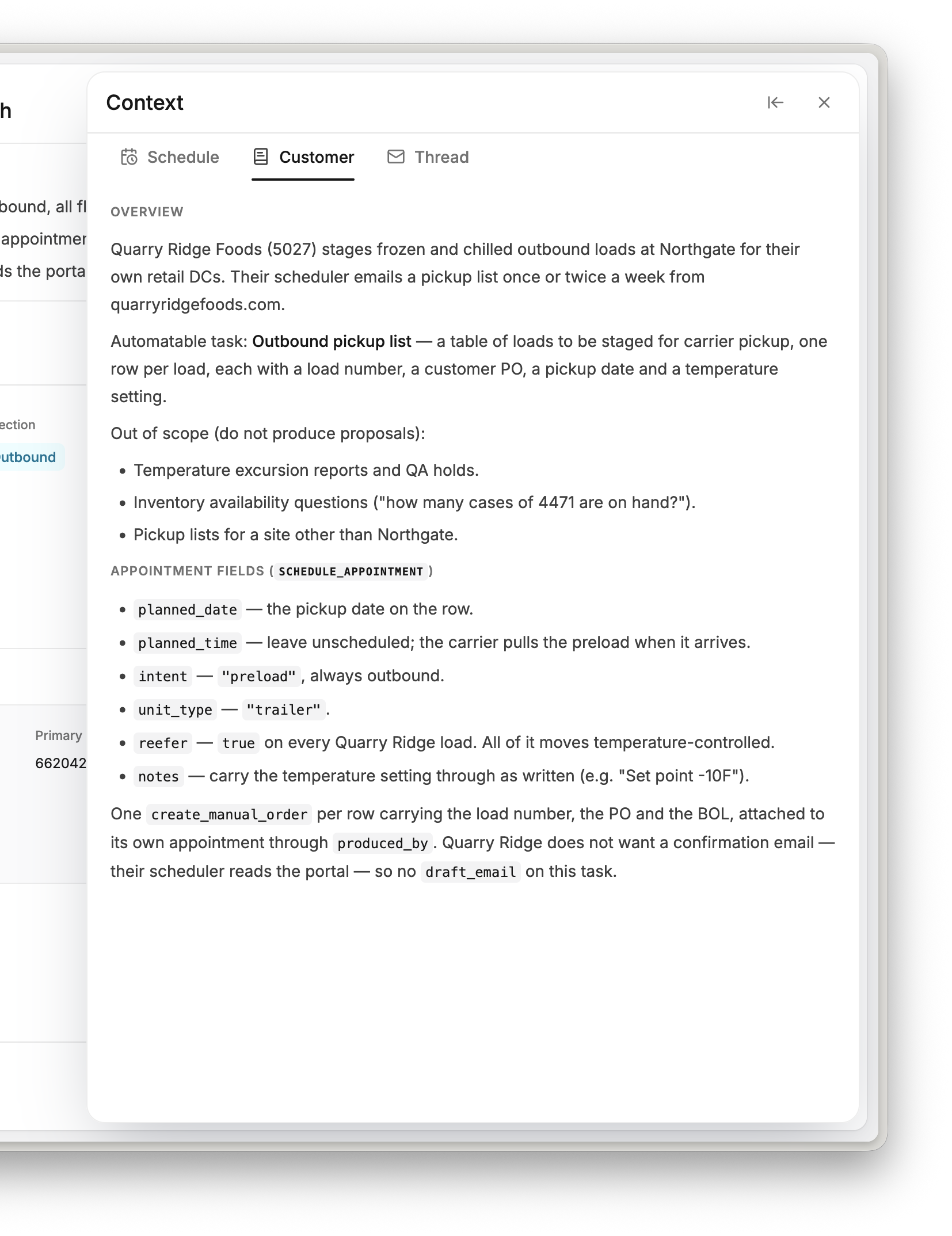
You write down how an account works once.

Which task to automate and which to leave alone. Whether they name a time or take a window. Which reference carries the PO. Read on every proposal for that account.

The Customer tab of a Movo proposal’s context panel: the account’s overview, the one automatable task, an out-of-scope list, and what each appointment field means for this customer

The account

The rules for this customer, including the requests it must not touch.

Before anything is real

It proposes. A person approves.

Every account starts with a person on every action, and that click is the only moment anything touches your WMS, your board or your orders. What it earns after that is your call, not a setting we ship on.

  • Approval is the default

    A drafted action waits until someone approves it, however long that takes. Nothing runs unattended unless you ask for it.

  • Sending stays yours

    The reply sits in the proposal as a draft. Copy it, edit it or leave it; sending is a person’s click.

  • It books against a live board

    The customer’s real appointments sit one tab from the draft, so it never proposes a slot the yard already gave away.

After approval

It shows up on the board the dock already works from.

The appointment, its freight and its detention window are on the operating board the moment a CSR approves. Nobody retypes it, and there is no second board to keep in sync.

A trailer backed into a warehouse dock door, sealed against the building

At the dock

The appointment a CSR approved, at the door it was booked for.